Features
Interactive attack surface map
The full picture of your security posture
Most security tools show you a list of findings. The Attack Surface Map shows you how everything connects so you can understand exposure in context, not just in isolation.
Relationship mapping
See how assets are connected to services, how services relate to vulnerabilities, and how risk flows through your infrastructure.
Internal and external views
Switch between your internal and external attack surface with a single toggle, giving you the right perspective for every situation.
Risk-based highlighting
High-risk assets and connections are visually highlighted, so critical areas are immediately apparent without having to dig through lists.
Always up to date
The map updates automatically as new assets, services, and vulnerabilities are discovered. No manual maintenance required.
See the full picture
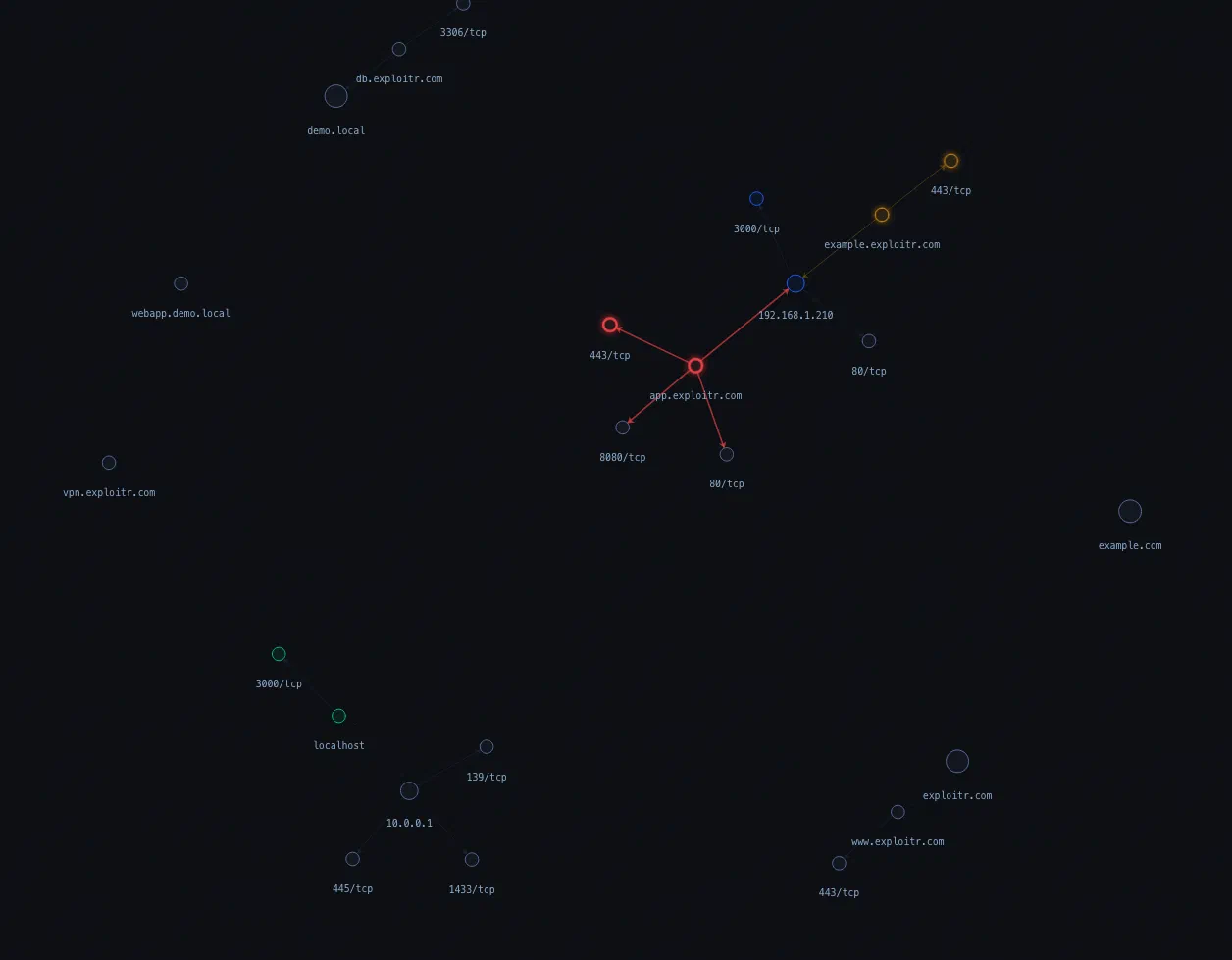
The Attack Surface Map provides a dynamically generated view of your organisation's infrastructure, not a static diagram, but a live representation that reflects the current state of your environment. Understand at a glance what is exposed, what is at risk, and how the pieces connect.
- Dynamic relationship mapping: Relationships between assets, vulnerabilities, and services are automatically generated based on your inventory and scan data.
- Flexible grouping: Toggle grouping by asset type or related groups to get the view that makes most sense for your current focus.
- Risk path identification: Identify key areas of risk and potential attack paths based on how assets and vulnerabilities are connected.
View and manage asset relationships
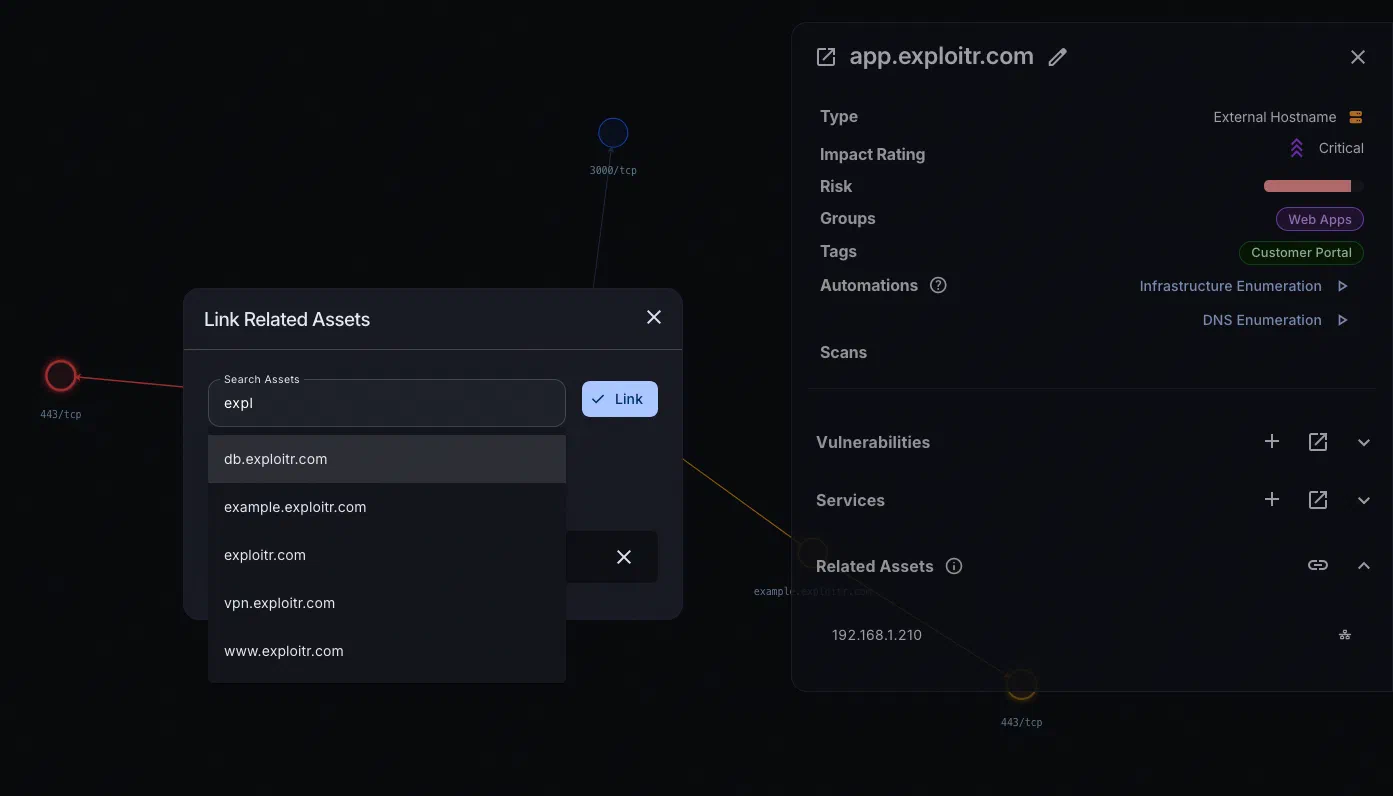
Beyond individual assets, the map shows you how assets relate to each other through shared services and connections. This context is often what determines whether a vulnerability is genuinely critical or relatively contained.
- Service relationship visualisation: See how assets are connected through shared services and where those connections create lateral movement opportunities.
- Custom relationships: Manually add or remove relationships to reflect your actual environment, including connections that aren’t automatically detected.
- Attack path context: Understand how service relationships could be used as stepping stones in a broader attack, informing your remediation priorities. Use attack chain mapping to model those steps explicitly.
Interactive and dynamic exploration
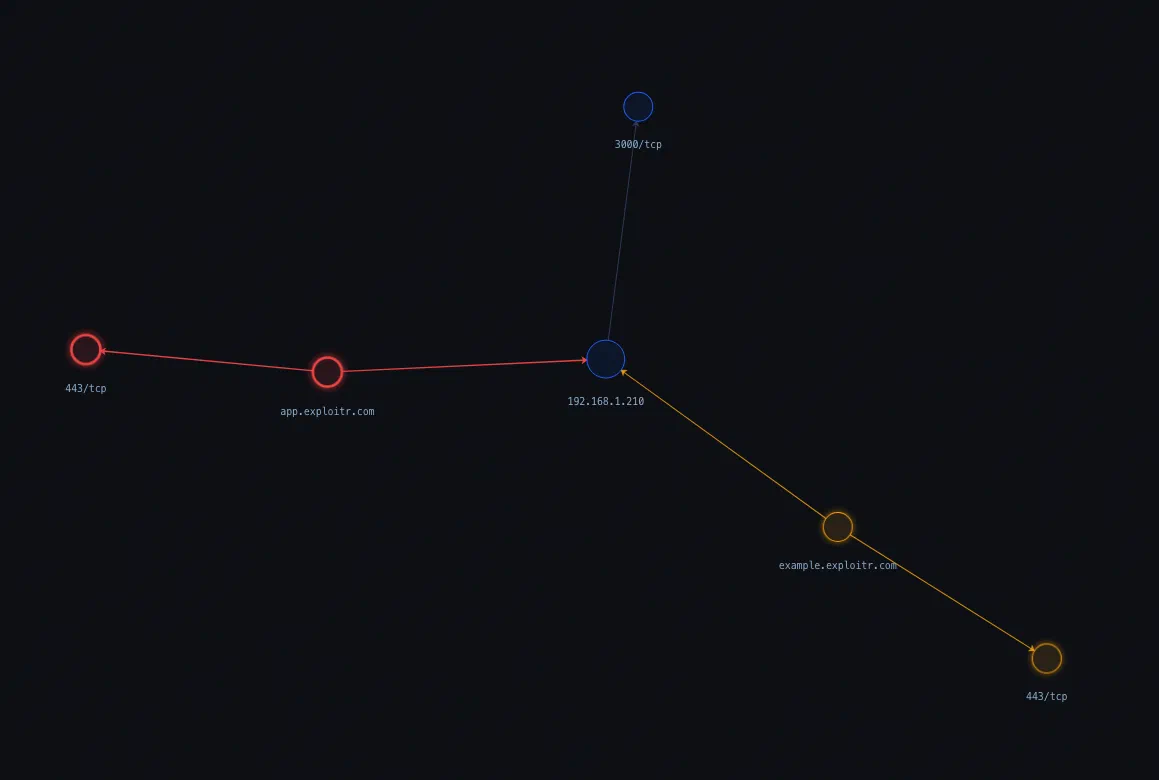
The map is designed to be explored, not just viewed. Click into any asset to see detailed information, filter by type or risk level, and navigate your attack surface in real time.
- Click-through detail: Click any asset to view its risk score, associated vulnerabilities, services, and contextual information without leaving the map.
- Filtering and search: Filter by asset type, group, or risk level, or search for a specific asset to navigate large environments quickly.
- Zoom and focus: Zoom in to focus on specific areas of your infrastructure or zoom out for an organisation-wide overview.
See your attack surface come to life
Sign up for free and get your first automated asset map within minutes of onboarding.
Common questions
An Attack Surface Map is an interactive visualisation of your organisation’s cyber attack surface. It shows the relationships between assets, vulnerabilities, services, and risk to give you a connected view of your environment rather than a flat list of findings.
The map is automatically generated from your asset inventory and scan data. As new assets are discovered, vulnerabilities are found, or relationships change, the map updates to reflect the current state of your environment.
Yes. You can manually add or remove asset relationships, filter by asset type or group, and toggle between internal and external views. The map is designed to reflect your actual environment, not just what’s automatically detected.
Yes, the Attack Surface Map is included on all plans, including the free tier. It’s one of the first things you’ll see after onboarding.