Features
Automated vulnerability scanning
Continuous scanning, zero manual effort
Scheduled scanning means your asset inventory stays current with the latest exposure data. Create a scan job once, set the schedule, and let the platform handle the rest.
Port scanning
Discover open ports and services across your assets to identify potential attack vectors and unexpected exposure on your network perimeter.
Network vulnerability scanning
Combine port discovery with in-depth vulnerability checks against every open service. Select from targeted scan profiles to focus on the checks that matter most to your environment.
Web application scanning
Scan your web applications and APIs for known vulnerabilities: misconfigurations, outdated components, injection points, and more.
Scheduled automation
Set scans to run daily, weekly, or monthly depending on your plan. Results are automatically imported into your vulnerability inventory.
Passive discovery
Supplement active scans with passive automated discovery, gathering intelligence about your assets without sending any traffic to them.
Automated vulnerability scanning for continuous coverage
Attack Surface Center’s automated vulnerability scanning capabilities enable security teams to continuously monitor their infrastructure for security weaknesses, misconfigurations, and exposed services. Three complementary scan types: port scanning, network vulnerability scanning, and web application scanning provide layered coverage across your entire attack surface.
Schedule automated security scans to run continuously at intervals that match your security requirements – weekly or monthly. Discover open ports and exposed services on your network infrastructure, run deep vulnerability checks against every discovered service using targeted scan profiles, identify known vulnerabilities in web applications and websites, and maintain real-time visibility into your security posture without manual intervention.
Every scan type integrates seamlessly with Attack Surface Center’s asset inventory and vulnerability management capabilities. Results automatically create or update vulnerability records in your centralised dashboard, enabling efficient prioritisation and remediation workflows.
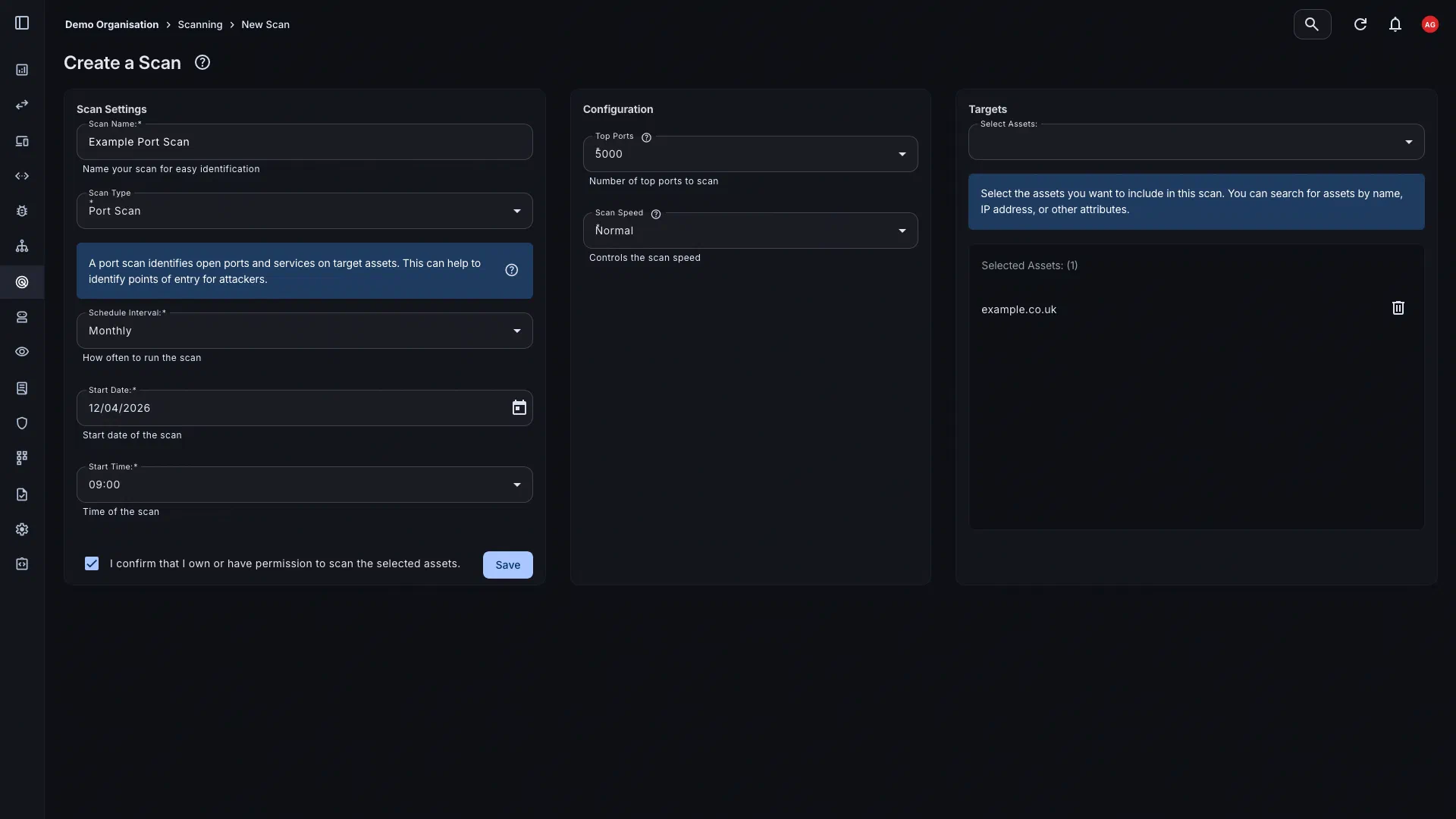
Network port scanning
Create port scanning jobs to discover open ports and services across your assets. Understanding what's listening on your network perimeter is a fundamental first step in managing your attack surface, and scheduled scans ensure that picture stays accurate over time.
- Flexible asset targeting: Target specific assets or asset groups within your inventory. Scans run against the assets you define, within your plan’s scannable asset allowance.
- Scheduled and on-demand: Set a recurring schedule: monthly or weekly depending on your plan.
- Automatic result import: Open ports and services discovered during scanning are automatically added to your asset records and reflected in the Attack Surface Map.
Deep vulnerability checks across every open service
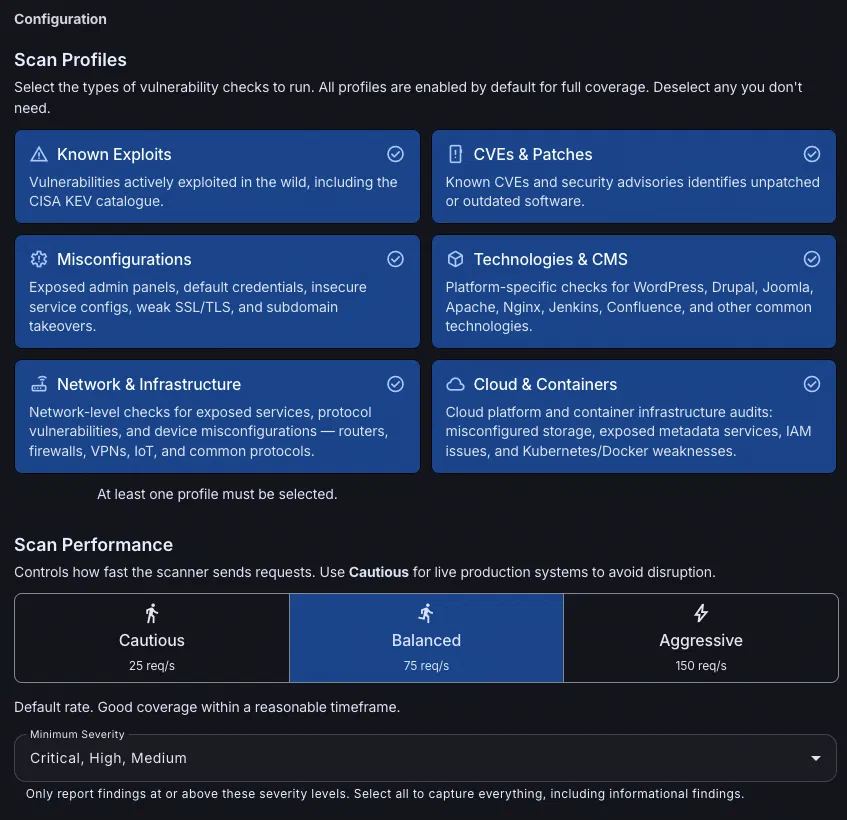
Network vulnerability scanning goes further than port scanning alone. The scan begins with port discovery, then runs targeted vulnerability checks against every open service identified to give you a picture of exploitable weaknesses across your network perimeter in a single job.
- Scan profiles: Choose from multiple targeted profiles: Known Exploits, CVEs & Patches, Misconfigurations, Technologies & CMS, Network and Infrastructure. Focus checks on what’s relevant to your environment.
- Known exploits & CVEs: Detect vulnerabilities actively exploited in the wild, including entries from the CISA KEV catalogue, alongside known CVEs and unpatched software identified by security advisories.
- Misconfigurations: Surface exposed admin panels, default credentials, insecure service configurations, weak SSL/TLS, and subdomain takeover opportunities.
- Technologies & CMS: Run platform-specific checks for WordPress, Drupal, Joomla, Apache, Nginx, Jenkins, Confluence, and other commonly deployed technologies.
- Network & infrastructure: Identify network-level issues including exposed services, protocol vulnerabilities, and device misconfigurations across routers, firewalls, VPNs, IoT, and common protocols.
Web application vulnerability scanning
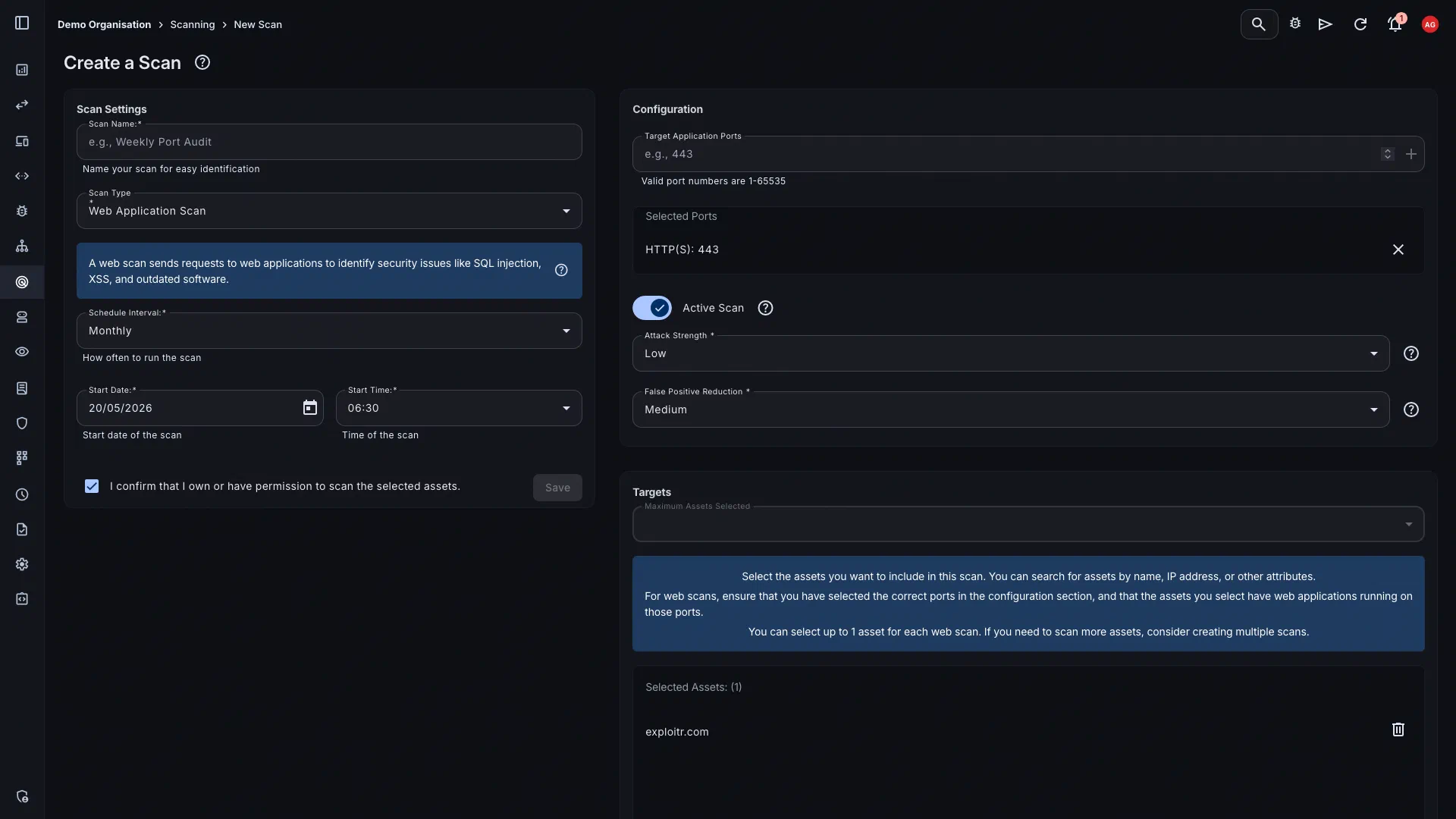
Set up vulnerability scanning jobs to automatically scan your web applications and APIs for known weaknesses. Results are imported directly into your vulnerability management workflow, ready to triage and remediate.
- Known vulnerability detection: Scan for common web application vulnerabilities including injection flaws, authentication issues, outdated components, and security misconfigurations.
- API scanning: Extend scanning coverage to your APIs, not just your web-facing applications, to capture the full scope of your application attack surface.
- Results feed into remediation: Scan findings are automatically created as vulnerabilities in your inventory, with severity scores, asset association, and all the context you need to act.
From asset to finding in one pipeline
Every scan follows the same path, from your asset inventory through to actionable vulnerability records, with no manual steps in between.
Asset inventory
Scans run against assets already tracked in your inventory.
Automated scan
Choose scan type, target assets, configure profiles and performance settings, then set a schedule.
Remediation
Triage, assign, and track findings through to resolution.
Getting started in four steps
Once your assets are in the platform, continuous scanning takes minutes to configure.
Create a scan job
Select the assets you want to scan, choose the scan type (port, network vulnerability, or web application), and configure the relevant settings.
Set your schedule
Choose how frequently scans should run based on your plan. Weekly scans are available from Starter plans upward.
Review results
Once complete, scan results appear in your vulnerability dashboard. Filter by severity, asset, or scan date to prioritise your response.
Remediate and re-scan
Address findings in your workflow, then re-scan to confirm resolution. Continuous scheduling means emerging issues are caught in the next cycle.
Start scanning your attack surface
Sign up for free. Paid plans unlock scheduled scanning from your first billing month.
Common questions
Attack Surface Center supports three scan types: network port scanning, network vulnerability scanning, and web application vulnerability scanning. Port scanning discovers open ports and services; network vulnerability scanning builds on a port scan by running in-depth vulnerability checks against every open service using configurable scan profiles; web application scanning identifies known vulnerabilities in your applications and APIs.
Scan profiles let you select which categories of vulnerability checks to run as part of a network vulnerability scan. The available profiles are: Known Exploits, CVEs & Patches, Misconfigurations, Technologies & CMS, Network and Infrastructure. Each profile focuses on a specific area of vulnerability, allowing you to tailor scans to the technologies and risk factors most relevant to your environment.
You can choose from three performance modes: Cautious (25 req/s), Balanced (75 req/s), and Aggressive (150 req/s). Cautious is recommended for live production systems; Balanced is the default and suitable for most environments; Aggressive is best used against test or staging infrastructure.
Port scanning identifies which ports are open and which services are running on your assets. Network vulnerability scanning starts with that same port discovery, then goes further by running vulnerability checks against every open service to detect exploitable weaknesses, misconfigurations, outdated software, and more, based on your chosen scan profiles.
Scan frequency depends on your plan. Starter plans support weekly scheduled scans; all paid plans include scheduled scanning.
Each plan includes a monthly allowance of scannable assets: domains, IP addresses, hostnames, URLs, and similar targets. Assets can be scanned as frequently as your schedule allows within the month. Additional assets can be purchased in-app if you need to expand coverage.
Yes. When configuring a network vulnerability scan you can set a minimum severity threshold (for example Critical, High, and Medium), so that only findings at or above that level are reported. This helps focus remediation effort on the most impactful issues.
Yes. You can upload scan results from third-party tools such as Nmap and OWASP ZAP directly into Attack Surface Center, centralising all your findings in one place.